
***

Contents
- 1 UniFood Single Restaurant Food Ordering System Review: Is This the Best Script for Your Restaurant?
- 1.1 A Deep Dive into the Ultimate Laravel & Vue Food Ordering Solution
- 1.2 Key Features of the UniFood Ordering System
- 1.3 Usability and Interface
- 1.4 Security and Performance
- 1.5 Pricing and Value
- 1.6 Pros and Cons of the UniFood Script
- 1.7 Frequently Asked Questions (FAQs)
- 1.7.1 1. What are the server requirements to run the UniFood script?
- 1.7.2 2. Is the installation process difficult?
- 1.7.3 3. Can I customize the look and feel of my online store?
- 1.7.4 4. What payment gateways are included?
- 1.7.5 5. Is this a one-time payment or a subscription?
- 1.7.6 6. Where can I purchase the UniFood script?
- 1.7.7 7. Can I use this for a food delivery platform with multiple restaurants?
- 1.8 Is It Worth Buying? Our Final Verdict
UniFood Single Restaurant Food Ordering System Review: Is This the Best Script for Your Restaurant?
A Deep Dive into the Ultimate Laravel & Vue Food Ordering Solution
In today’s digital-first world, a restaurant’s success hinges not just on its food but also on its online presence. Customers expect a seamless, fast, and intuitive way to browse menus and place orders directly from their favorite eateries. This is where a dedicated online ordering system becomes essential. While third-party platforms charge hefty commissions, a self-hosted solution offers complete control and maximizes profits. The UniFood Single Restaurant Food Ordering System PHP script emerges as a powerful contender in this space. Built on the modern and robust Laravel and Vue.js frameworks, it promises a comprehensive suite of features designed specifically for a single restaurant, café, or pizzeria. In this detailed CodeCanyon PHP script review, we’ll explore everything UniFood has to offer and determine if it’s the right investment for your business.
Key Features of the UniFood Ordering System

The UniFood script is packed with features that cover every aspect of the online ordering process, from the customer’s first click to the kitchen receiving the order. It’s more than just a menu; it’s a complete management ecosystem designed to streamline operations and enhance the customer experience.
Powerful and Intuitive Admin Dashboard
The backbone of the system is its administrative panel. Built with Laravel, it provides restaurant owners with full control over their online store. Key functionalities include:
- Menu Management: Easily add, edit, and categorize food items. You can include detailed descriptions, high-quality images, prices, and even create add-ons or variations (e.g., “extra cheese,” “choose your spice level”).
- Order Management: A real-time dashboard displays incoming orders with all necessary details. You can update order statuses (pending, processing, completed, canceled), which instantly notifies the customer.
- Analytics and Reporting: Track sales, popular items, and customer data to make informed business decisions. Understanding what sells best helps in optimizing your menu and promotions.
- Settings Customization: Configure everything from restaurant opening hours, delivery zones and fees, tax rates, and supported payment gateways.
Seamless Customer Experience with Vue.js
The customer-facing website is built with Vue.js, ensuring a lightning-fast, app-like experience directly in the browser. The user interface is clean, modern, and fully responsive. The ordering process is a breeze, with a smart cart system that updates instantly. A standout feature is its functionality as a Progressive Web App (PWA), allowing customers to “install” the website on their home screen for easy access. Check out the full feature list and live demo of the UniFood Single Restaurant Food Ordering System PHP script to see it in action.
Usability and Interface
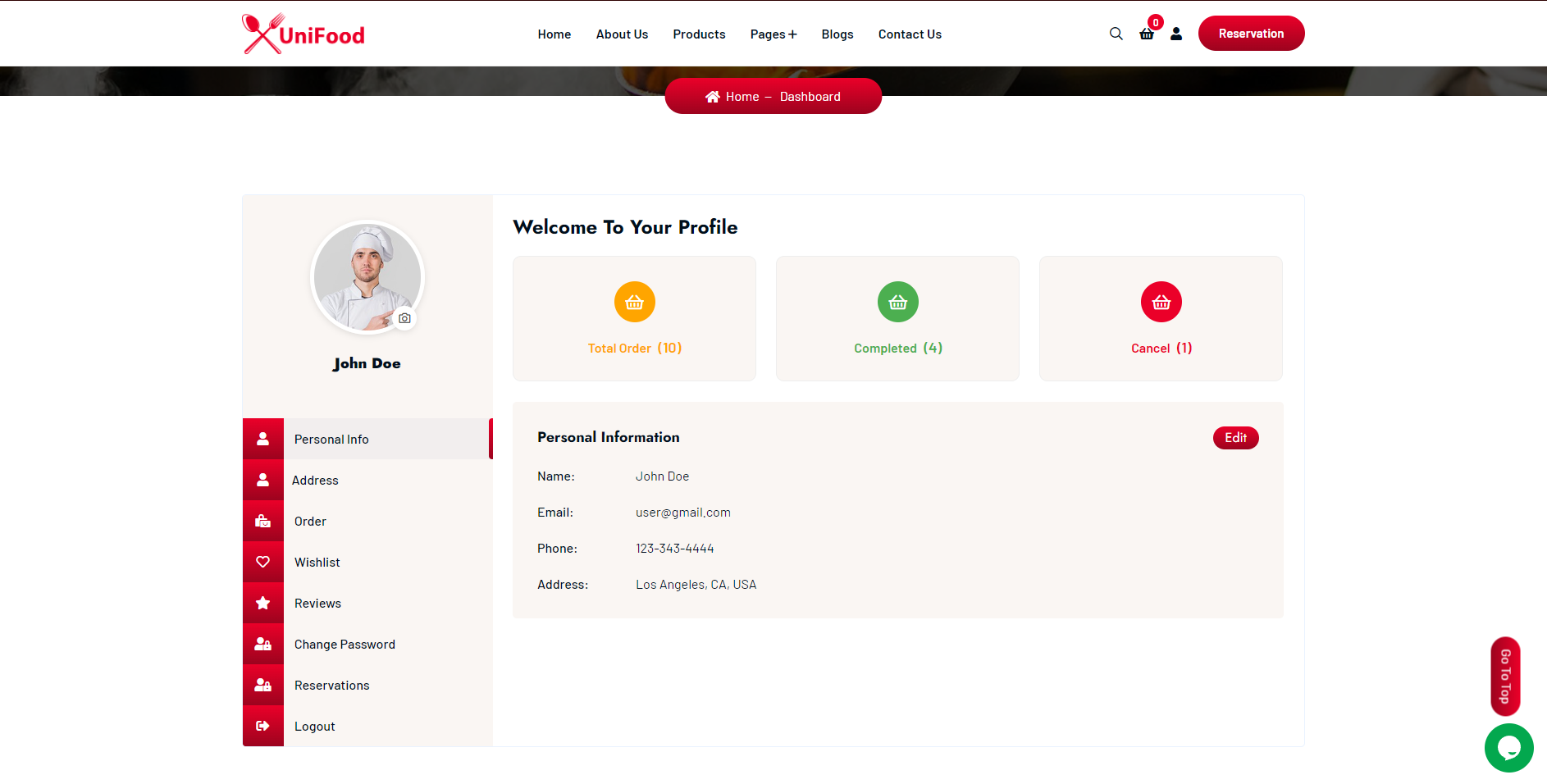
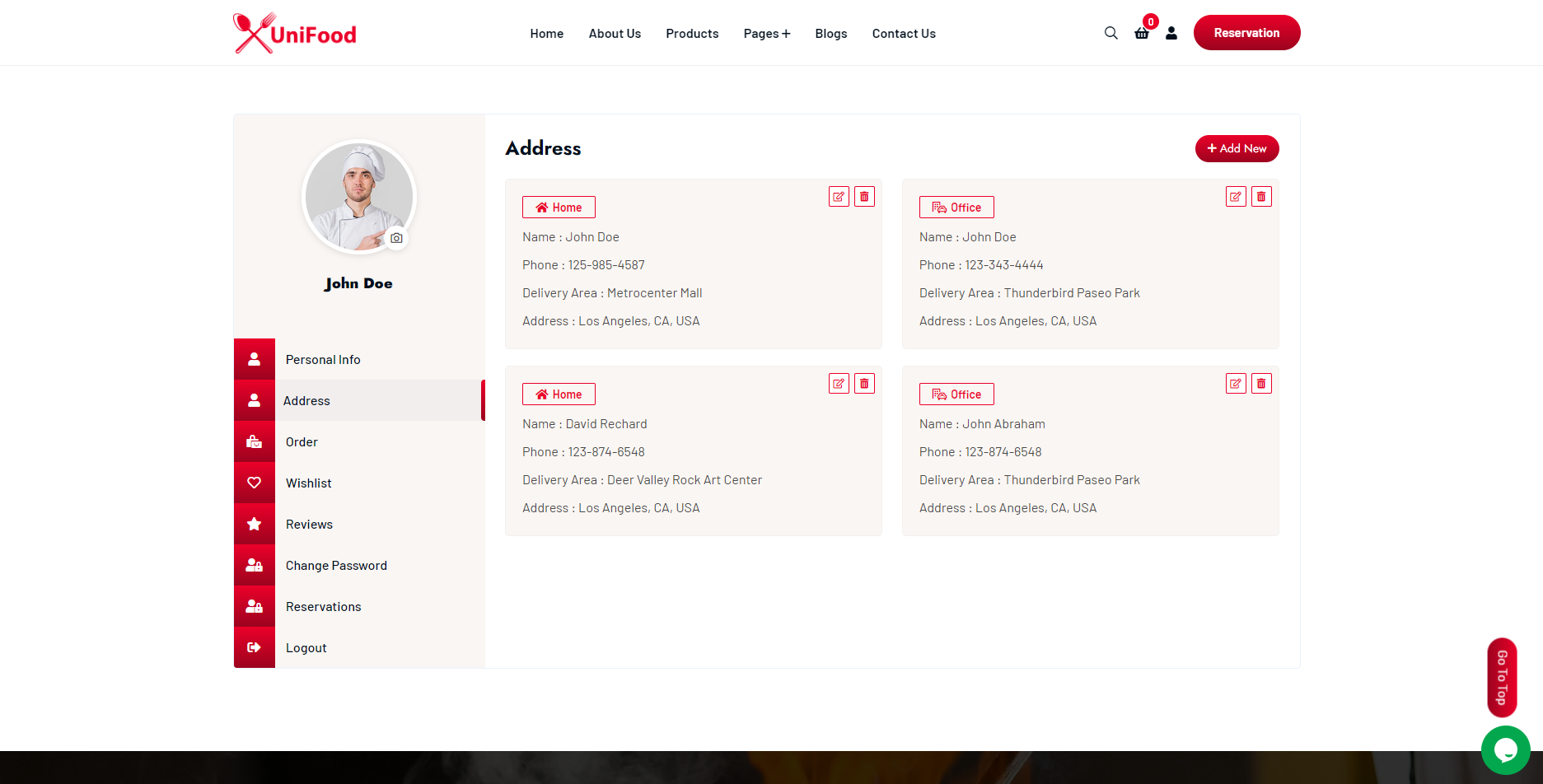
One of the script’s greatest strengths is its user-centric design. For the restaurant owner or manager, the admin panel is logically laid out. Even with limited technical expertise, managing the menu and processing orders is straightforward. The documentation provided by the developer is comprehensive, guiding you through the installation and setup process. You don’t need to be a coding expert to get this system up and running on your server.
For the end-user, the experience is exceptional. The Vue.js front-end eliminates clunky page reloads, making menu browsing and cart management incredibly smooth. The search and filter functions help customers find exactly what they’re looking for, and the checkout process is simple and secure. This focus on a high-quality user experience is crucial for reducing cart abandonment and encouraging repeat business. It’s a prime example of why many consider scripts like this the best PHP script for Laravel Vue development in the restaurant niche.
Security and Performance
When handling customer data and payments, security is non-negotiable. The UniFood script is built on Laravel, a PHP framework renowned for its robust security features. It comes with built-in protection against common vulnerabilities like SQL injection and cross-site scripting (XSS), giving you peace of mind. The developer also provides regular updates to ensure the script remains secure and compatible with the latest server technologies.
Performance-wise, the combination of a well-optimized Laravel backend and a snappy Vue.js frontend results in a system that loads quickly and runs efficiently, even with a large menu. This is vital for retaining customers, as slow-loading websites are a major deterrent. By hosting it on your own server, you have full control over the performance and can scale your resources as your business grows.
Pricing and Value
This is where the UniFood script truly shines. Unlike subscription-based services that take a percentage of every order, UniFood is available for a one-time purchase on CodeCanyon. This single payment grants you a lifetime license for the script, including all future updates. When you consider the thousands of dollars in commission fees you could save annually, the initial investment pays for itself in no time.
The package typically includes 6 months of dedicated support from the developer, which can be extended for a small fee. This model provides incredible long-term value, giving you a professional-grade ordering system without the recurring costs. It’s an affordable, one-and-done solution that puts you in the driver’s seat of your online operations.
Pros and Cons of the UniFood Script
| Pros | Cons |
|---|---|
| ✅ One-time payment with no recurring fees or commissions. | ❌ Requires your own web hosting and a domain. |
| ✅ Built with a modern, secure, and high-performance tech stack (Laravel & Vue.js). | ❌ Initial setup requires some technical knowledge (or hiring a developer). |
| ✅ Full ownership and control over your data and branding. | ❌ Designed for a single restaurant only; not for multi-vendor marketplaces. |
| ✅ Feature-rich, including PWA support, QR menu builder, and detailed analytics. | ❌ Support from the developer is limited to a fixed period (typically 6 months). |
Frequently Asked Questions (FAQs)
1. What are the server requirements to run the UniFood script?
You will need a web server that supports PHP (typically version 8.0 or higher), a MySQL database, and standard extensions like Mbstring and OpenSSL. Most modern shared hosting or VPS plans meet these requirements.
2. Is the installation process difficult?
The script comes with detailed documentation that walks you through the installation. If you are familiar with uploading files via FTP and creating a database, you should be able to manage it. However, for complete beginners, hiring a developer for a quick setup might be easier.
3. Can I customize the look and feel of my online store?
Yes, the script is customizable. You can easily change the logo, colors, and branding from the admin panel to match your restaurant’s identity. For deeper structural changes, knowledge of HTML/CSS and Vue.js would be required.
4. What payment gateways are included?
The UniFood script typically supports popular payment gateways like Stripe and PayPal, as well as offline methods like Cash on Delivery (COD). Be sure to check the item’s sales page for the most current list of supported gateways.
5. Is this a one-time payment or a subscription?
It is a one-time payment. You buy the script once and own it forever, including access to future updates at no additional cost.
6. Where can I purchase the UniFood script?
You can purchase and download the official script exclusively from the CodeCanyon marketplace. Using the official source ensures you get legitimate software, updates, and developer support. You can find it here: UniFood Single Restaurant Food Ordering System.
7. Can I use this for a food delivery platform with multiple restaurants?
No, this script is specifically designed for a single restaurant. It does not have the multi-vendor functionality required for a marketplace platform like Uber Eats or DoorDash.
Is It Worth Buying? Our Final Verdict
Absolutely. For any single-location restaurant, café, or food business looking to establish a robust, independent online ordering presence, the UniFood Single Restaurant Food Ordering System PHP script is an outstanding investment. It offers the features and performance of a high-end custom solution for a fraction of the cost. The one-time payment model is a game-changer, freeing you from the endless cycle of commission fees that eat into your profits.
While it requires you to manage your own hosting, the trade-off is complete control, unlimited orders, and a direct relationship with your customers. If you’re ready to take charge of your online sales and provide a stellar ordering experience, this script is one of the best solutions available on the market.
Click here to check the price and purchase the UniFood Script on CodeCanyon today!
“`