
Contents
- 1 Acculance POS Inventory Accounting Application PHP Script Review: Is It Right for Your Business?
- 1.1 Key Features of Acculance POS
- 1.2 Usability and Interface
- 1.3 Security and Performance
- 1.4 Pricing and Value
- 1.5 Pros and Cons
- 1.6 Frequently Asked Questions (FAQs)
- 1.6.1 1. What is the Acculance POS Inventory Accounting Application?
- 1.6.2 2. What technology is it built on?
- 1.6.3 3. Is it difficult to install?
- 1.6.4 4. Can I customize the script?
- 1.6.5 5. Are there any monthly fees?
- 1.6.6 6. Where can I purchase the Acculance POS script?
- 1.6.7 7. Is it suitable for multiple store locations?
- 1.7 Is It Worth Buying?
Acculance POS Inventory Accounting Application PHP Script Review: Is It Right for Your Business?
Finding an all-in-one solution to manage sales, inventory, and accounting can be a game-changer for any small to medium-sized business. Juggling multiple software for different tasks is inefficient, costly, and prone to errors. This is where a unified system shines. In this detailed CodeCanyon PHP script review, we’re taking a deep dive into the Acculance POS Inventory Accounting Application PHP script, a powerful tool designed to streamline your entire business operation from a single dashboard. Built on a modern Laravel and Vue.js stack, it promises robust performance and a feature-rich experience without the hefty monthly subscription fees of typical SaaS products. If you’re looking for a self-hosted, customizable, and comprehensive business management system, this might be the perfect solution for you. Discover if it meets your needs by exploring the Acculance POS application on CodeCanyon.

Key Features of Acculance POS
The Acculance POS script is not just a simple cash register application; it’s a full-fledged business management ecosystem. The developers have packed it with features that address the core needs of retail, wholesale, and service-based businesses. It stands out as one of the most comprehensive solutions in its category, making a strong case for the best PHP script for Laravel Vue developers and business owners alike.
- Comprehensive Dashboard: The first thing you see upon logging in is an intuitive dashboard that provides a bird’s-eye view of your business. It visualizes key metrics like total sales, purchases, expenses, profit margins, and top-selling products, allowing you to make informed decisions at a glance.
- Advanced Inventory Management: Say goodbye to stockouts and overstocking. Acculance offers real-time inventory tracking, product variant management (size, color, etc.), barcode generation and scanning, stock adjustments, and transfer management between different warehouses or branches.
- Integrated Accounting Module: This is where the script truly shines. It includes a complete accounting system with features for managing expenses, tracking income, viewing balance sheets, profit/loss statements, and handling bank account transactions. This integration eliminates the need for separate accounting software like QuickBooks or Xero.
- Sales and CRM: The Point of Sale (POS) interface is clean and fast, supporting both keyboard and touch-screen inputs. It handles sales, returns, quotations, and customer management. You can maintain a customer database, view their purchase history, and manage credit, which is crucial for building long-term relationships.
- User & Role Management: Secure your system by assigning specific roles and permissions to your staff. You can control who has access to sensitive information like sales reports and accounting data, ensuring operational integrity.

This powerful combination of features makes the Acculance POS Inventory Accounting Application a one-stop shop for running your business efficiently.
Usability and Interface
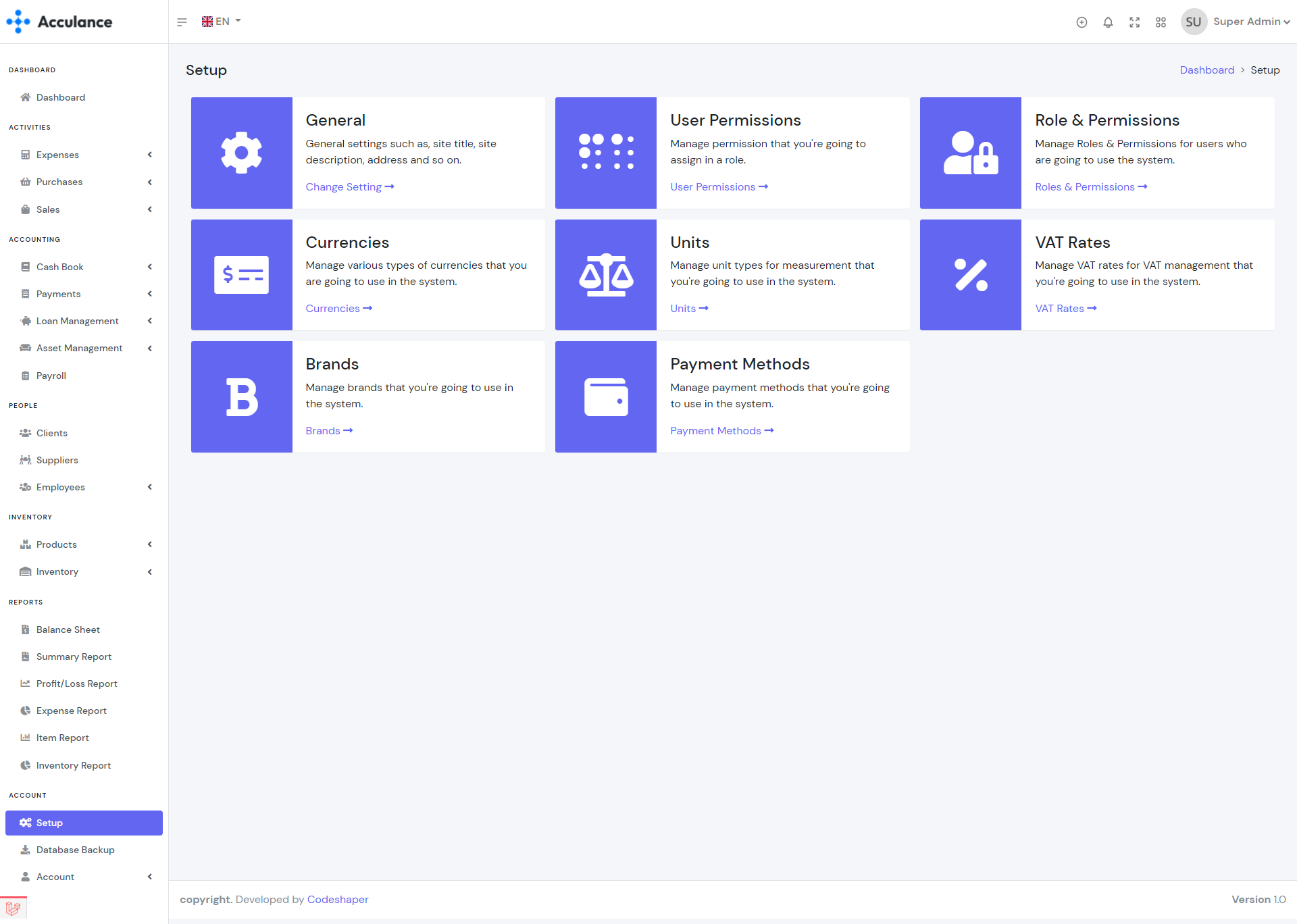
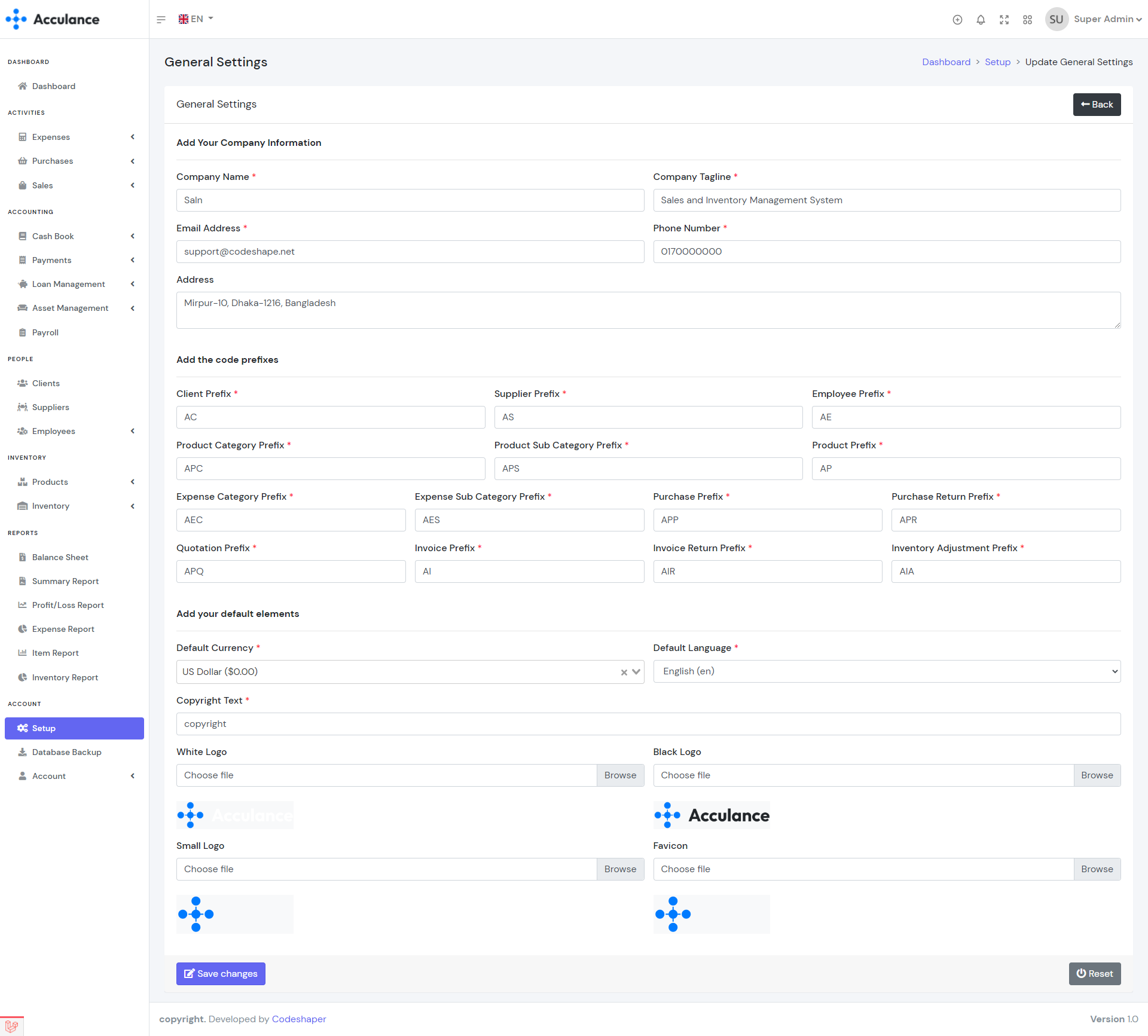
A powerful application is only useful if people can actually use it. Fortunately, the Acculance POS script excels in this area. Built with Vue.js on the frontend, the user interface (UI) is modern, responsive, and incredibly fast. Navigating between different modules—from creating a sales invoice to checking inventory levels—is seamless and intuitive. The layout is clean and uncluttered, which significantly reduces the learning curve for new employees.
The POS screen itself is well-designed for a fast-paced retail environment. It allows for quick product searches, barcode scanning, and efficient checkout processes. Whether you’re using a desktop, tablet, or a dedicated POS terminal, the responsive design ensures a consistent and user-friendly experience. For business owners and managers, the reporting sections present complex data through easy-to-understand charts and graphs, making data analysis straightforward without needing a degree in finance.
Security and Performance
When dealing with sensitive business data like sales figures and customer information, security is paramount. The Acculance POS Inventory Accounting Application PHP script is built on Laravel, one of the most secure PHP frameworks available. It comes with built-in protection against common web vulnerabilities like Cross-Site Scripting (XSS) and SQL injection.
The robust role-based access control system adds another layer of security, ensuring that employees can only access the features relevant to their jobs. Performance-wise, the combination of Laravel’s optimized backend and Vue.js’s reactive frontend results in a snappy application that can handle a high volume of transactions and data without slowing down, provided it is hosted on adequate server infrastructure.
Pricing and Value
One of the most compelling reasons to choose a script from CodeCanyon is the pricing model. Unlike SaaS solutions that charge recurring monthly fees, Acculance POS is available for a one-time purchase price. This single payment grants you a lifetime license to use the software and includes six months of technical support from the developer.
For a small business, this model offers incredible value. You get the full source code, which means you or a developer can customize and extend the application to fit your unique business needs. When you compare the one-time cost to the hundreds or even thousands of dollars you might spend annually on a subscription-based POS and accounting service, the long-term savings are substantial. This makes it a financially smart investment for budget-conscious entrepreneurs.
Pros and Cons
| Pros | Cons |
|---|---|
| One-Time Cost: No recurring monthly or annual fees. | Requires Technical Setup: You need a web server and basic knowledge to install and maintain it. |
| Full Source Code: Highly customizable to fit specific business needs. | Manual Updates: You are responsible for applying future updates yourself. |
| All-in-One Solution: Combines POS, inventory, and accounting in a single platform. | Support is Ticket-Based: Support is not instant like a SaaS live chat; it’s through the Envato Market system. |
| Modern Tech Stack: Built with Laravel and Vue.js for great performance and security. | Server Costs: You are responsible for your own hosting fees. |
| Self-Hosted: You have complete control over your data and privacy. |
Frequently Asked Questions (FAQs)
1. What is the Acculance POS Inventory Accounting Application?
It is a self-hosted PHP script that provides a complete business management solution, including a Point of Sale (POS) system for managing sales, an inventory management module, and a full accounting system to track finances.
2. What technology is it built on?
The application is built using a modern and powerful technology stack: Laravel, a popular PHP framework for the backend, and Vue.js, a progressive JavaScript framework for the frontend. This makes it arguably one of the best PHP script for Laravel Vue developers to work with.
3. Is it difficult to install?
It requires some technical knowledge. You will need a web server with PHP and a database (like MySQL). The developer provides detailed documentation, but if you are not comfortable with server administration, you may need to hire a developer for the initial setup.
4. Can I customize the script?
Absolutely. Since you receive the full source code upon purchase, you or your developer have complete freedom to modify, customize, and extend its functionality to perfectly match your business workflow.
5. Are there any monthly fees?
No. The script is sold for a one-time payment, which includes a lifetime license and 6 months of support. The only recurring costs would be for your own web hosting.
6. Where can I purchase the Acculance POS script?
You can purchase the script exclusively on the Envato Market (CodeCanyon). To ensure you get the official version with support, it’s recommended to buy it directly from the author’s page. You can buy the Acculance POS script here.
7. Is it suitable for multiple store locations?
Yes, the application supports multi-warehouse functionality, which can be adapted to manage inventory across multiple store locations or branches from a centralized system.
Is It Worth Buying?
The Acculance POS Inventory Accounting Application PHP script is an outstanding choice for tech-savvy business owners, startups, and development agencies looking for a powerful, cost-effective, and customizable business management solution. If you are willing to handle the initial setup and hosting, the value you receive for a one-time price is exceptional. It provides enterprise-level features that can scale with your business without locking you into an expensive subscription model.
However, if you have zero technical expertise and want a solution that works out of the box with instant support, a traditional SaaS product might be a better fit. For everyone else who values control, customizability, and long-term savings, this script is a clear winner. Ready to take full control of your business operations? Get the Acculance POS Inventory Accounting Application on CodeCanyon today!
“`