
***

Contents
- 1 CreatorSpace Personal Website CMS Review: The Ultimate Laravel & Vue Script?
- 1.1 Key Features of the CreatorSpace CMS
- 1.2 Usability and Interface
- 1.3 Security and Performance
- 1.4 Pricing and Value
- 1.5 Pros and Cons
- 1.6 Frequently Asked Questions (FAQs)
- 1.6.0.1 1. What kind of hosting do I need for CreatorSpace?
- 1.6.0.2 2. Is it difficult to install?
- 1.6.0.3 3. Can I customize the design?
- 1.6.0.4 4. Is this a WordPress theme?
- 1.6.0.5 5. Why is a Laravel & Vue.js script a good choice?
- 1.6.0.6 6. Where can I buy the CreatorSpace Personal Website CMS?
- 1.6.0.7 7. Does it support multiple languages?
- 1.7 Is It Worth Buying?
CreatorSpace Personal Website CMS Review: The Ultimate Laravel & Vue Script?
In today’s digital age, a personal website is more than just a resume; it’s a dynamic portfolio, a creative outlet, and a professional hub. For freelancers, developers, and creators, having full control over their online presence is crucial. While platforms like WordPress are powerful, they can be overkill, and SaaS builders come with recurring monthly fees. This is where self-hosted scripts shine. In this detailed CodeCanyon PHP script review, we’re diving deep into the CreatorSpace Personal Website CMS, a modern solution built on Laravel and Vue.js. We’ll explore its features, usability, and overall value to help you decide if this is the right tool to build your digital home.
Key Features of the CreatorSpace CMS

The CreatorSpace Personal Website CMS PHP script is packed with features designed specifically for individuals who need to showcase their work, skills, and services. It’s not just a simple template; it’s a complete content management system built on a robust and modern tech stack.
Powerful Admin Dashboard (Laravel + Vue.js)
At its core, CreatorSpace boasts a sleek, fast, and intuitive admin panel. Built with Laravel on the backend and Vue.js on the frontend, the dashboard operates like a single-page application (SPA). This means navigation between sections is nearly instantaneous, providing a smooth and efficient content management experience. This modern architecture makes it arguably one of the best PHP script for Laravel Vue developers and users who appreciate performance.
Comprehensive Portfolio Management
For any creative professional, a portfolio is essential. CreatorSpace includes a dedicated module to easily add, categorize, and manage your projects. You can upload images, add detailed descriptions, and assign categories, allowing visitors to filter and view your work seamlessly.
Integrated Blog & Services System
Content is king, and this script makes it easy to rule your niche. It comes with a built-in blog system, complete with categories and SEO-friendly URLs. You can also create and display a “Services” section to clearly outline what you offer to potential clients. Other key features include:
- Testimonials Management: Easily add and display client feedback to build social proof.
- Contact Form Management: A secure, built-in contact form that sends messages directly to your admin panel.
- SEO Controls: Manage meta titles, descriptions, and keywords for pages, posts, and projects.
- Fully Responsive Design: The front-end is designed to look stunning on all devices, from desktops to smartphones.
With such a well-rounded feature set, CreatorSpace provides all the essential tools you need to launch a professional website. You can explore the full feature list on its official CodeCanyon page.
Usability and Interface
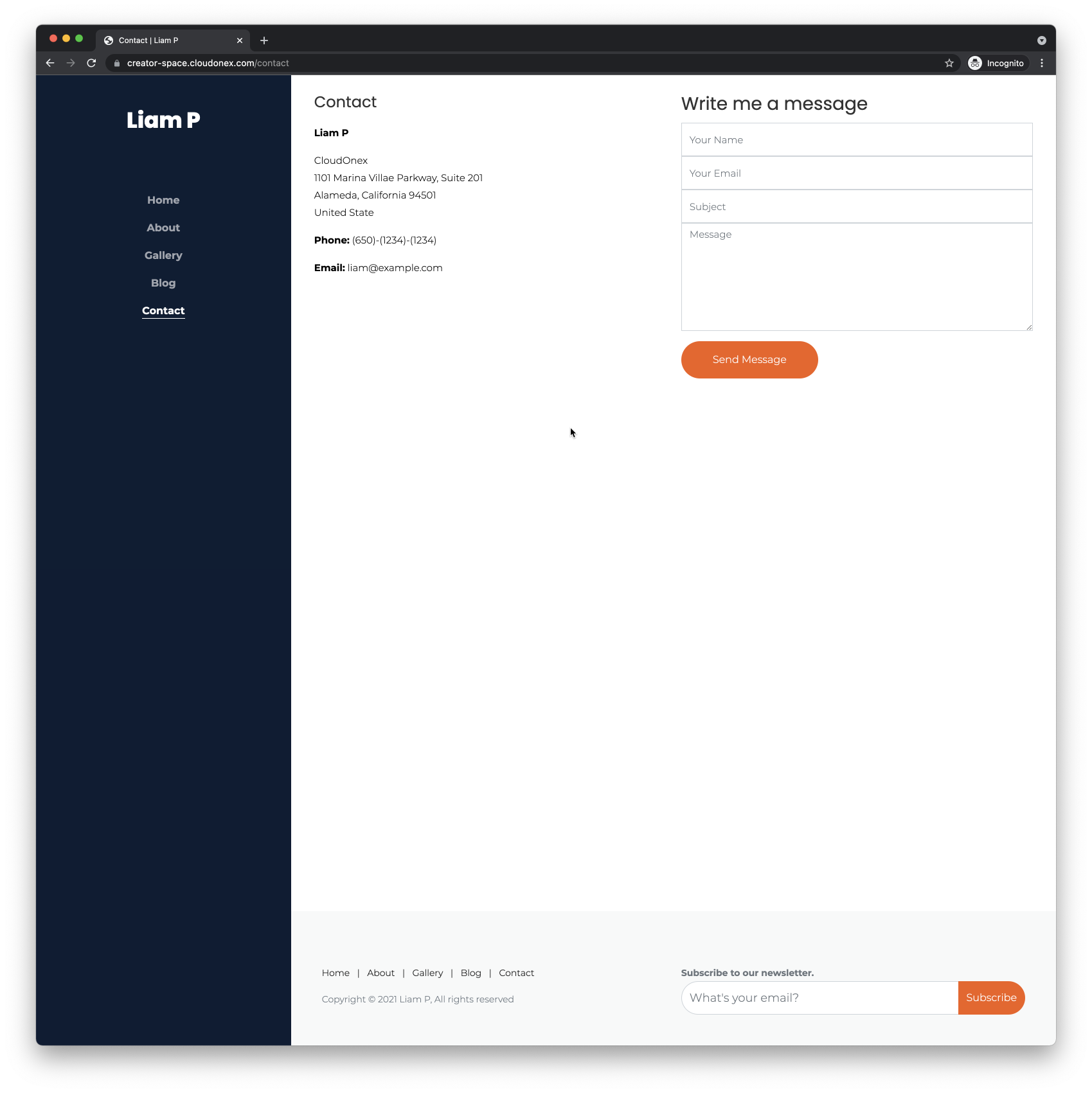
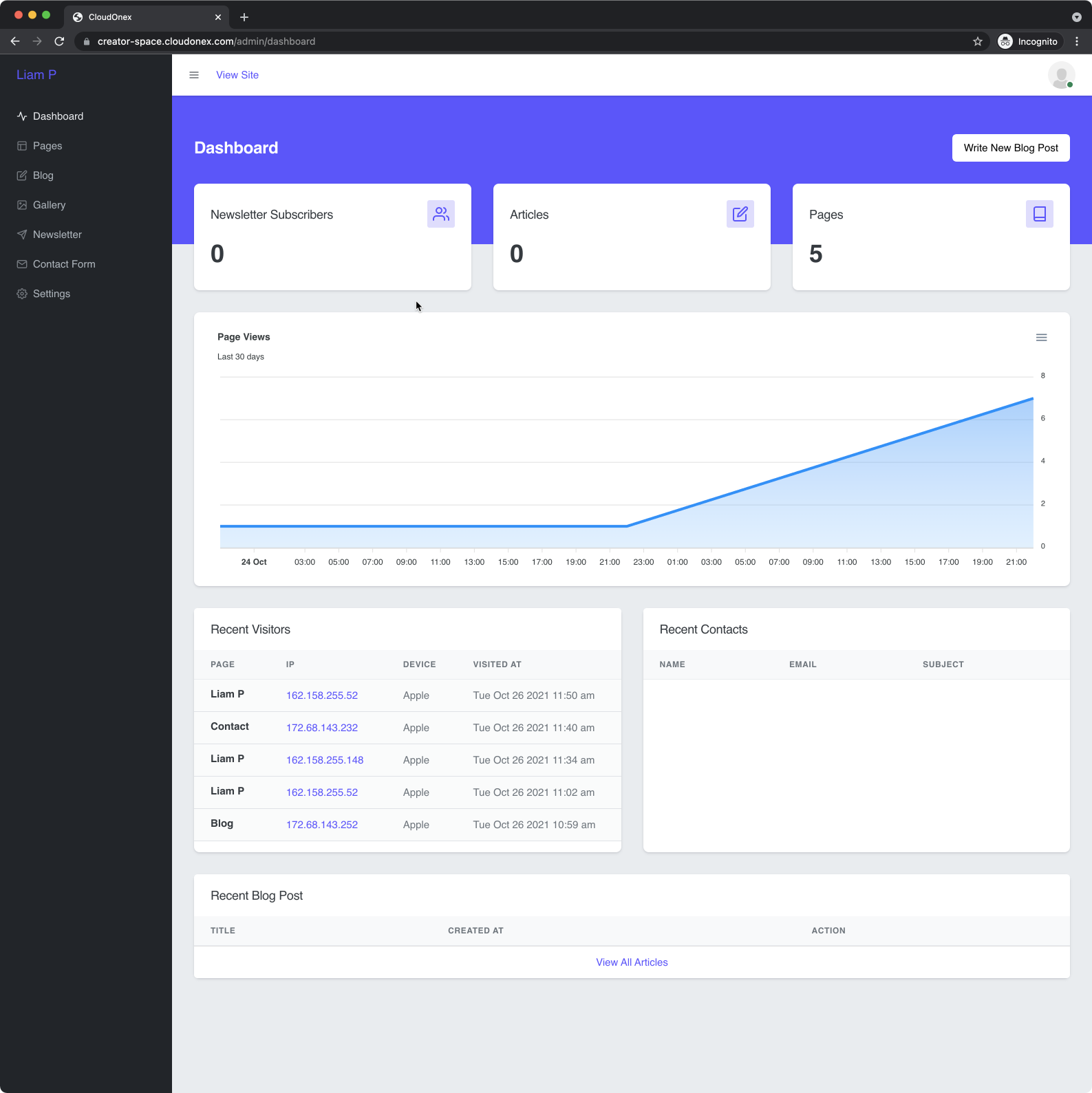
One of the biggest strengths of the CreatorSpace script is its user-friendly interface. The installation process is guided by a simple step-by-step wizard, which handles database connections and initial setup. Once installed, you’re greeted by the clean admin dashboard.
Thanks to Vue.js, the backend experience is incredibly fluid. Adding a new portfolio item, writing a blog post, or updating your “About Me” page is straightforward. Forms are well-organized, and the interface provides clear instructions without feeling cluttered. Even users with limited technical knowledge can quickly get the hang of managing their content.
The separation of the front-end display and the back-end logic means you can focus entirely on your content without accidentally breaking the site’s layout. For developers, this clean separation also makes customization much easier, as the code is well-structured and follows modern development patterns.
Security and Performance
Built on Laravel, one of the most secure PHP frameworks available, CreatorSpace inherits a strong security foundation. It comes with built-in protection against common web vulnerabilities like Cross-Site Scripting (XSS) and SQL injection. The developer has also implemented best practices to ensure your data and website remain safe.
Performance is another standout area. The combination of an optimized Laravel backend and a lightweight Vue.js frontend results in fast loading times for both the visitor-facing site and the admin panel. A fast website not only improves user experience but is also a critical factor for SEO rankings. With CreatorSpace, you get a high-performance platform right out of the box, giving you an edge over slower, more bloated systems.
Pricing and Value
CreatorSpace is available on CodeCanyon for a one-time purchase fee. This is its most significant advantage over subscription-based website builders. You pay once and own the script forever. The standard license includes all future updates and six months of professional support from the developer, which can be extended to 12 months for a small additional fee.
When you consider the cost of monthly subscriptions for platforms like Squarespace or Wix, which can add up to hundreds of dollars per year, the value proposition is clear. For a single payment, you get a powerful, modern, and fully-featured CMS that you can host on any standard PHP-compatible server. This makes the CreatorSpace Personal Website CMS PHP script an incredibly cost-effective investment for long-term use.
Pros and Cons
| Pros | Cons |
|---|---|
|
|
Frequently Asked Questions (FAQs)
1. What kind of hosting do I need for CreatorSpace?
You’ll need a standard web hosting plan that supports PHP (version 8.1 or higher) and a MySQL or MariaDB database. Most shared hosting providers meet these requirements.
2. Is it difficult to install?
No, the script comes with an easy-to-use installation wizard. You’ll just need to upload the files to your server and follow the on-screen instructions to connect your database.
3. Can I customize the design?
Yes. The front-end code is well-structured. If you have knowledge of HTML, CSS, and basic Vue.js, you can extensively customize the appearance to match your brand.
4. Is this a WordPress theme?
No, this is a standalone PHP script. It functions as a complete Content Management System (CMS) on its own and does not require WordPress.
5. Why is a Laravel & Vue.js script a good choice?
This combination provides a secure, fast, and modern platform. Laravel offers robust security and backend features, while Vue.js creates a highly responsive and app-like user interface in the admin panel, making website management a breeze.
6. Where can I buy the CreatorSpace Personal Website CMS?
You can purchase and download the script exclusively from the Envato Market (CodeCanyon). You can find it by visiting the official CreatorSpace page here.
7. Does it support multiple languages?
The script is primarily built for a single language, but because you have access to the source code, a developer could modify it to add multi-language support if needed.
Is It Worth Buying?
Absolutely. If you are a freelancer, designer, developer, or any creative professional looking for a powerful, fast, and affordable way to manage your personal website, the CreatorSpace Personal Website CMS PHP script is an outstanding choice. It strikes the perfect balance between advanced features and user-friendliness. The one-time cost provides incredible long-term value, freeing you from monthly subscription fees while giving you full ownership and control over your digital presence.
For those comfortable with a simple installation process and who value performance and modern technology, this script is a top contender. Ready to build a professional website that you truly own? Check out CreatorSpace on CodeCanyon today and take the first step towards a better online portfolio.
“`