
In today’s fast-paced digital world, exceptional customer support is not just a luxury; it’s a necessity. Businesses, regardless of their size, need robust systems to manage customer queries efficiently, resolve issues promptly, and maintain high satisfaction levels. This is where a dedicated helpdesk platform becomes indispensable. If you’re searching for a powerful, flexible, and modern solution, look no further than the ViserDesk Support Ticket Management Helpdesk Platform PHP script.
This comprehensive CodeCanyon PHP script offers an all-in-one environment for streamlining your support operations. Built with the cutting-edge Laravel and Vue.js frameworks, ViserDesk promises not only a secure and high-performing backend but also a slick, intuitive user interface. Join us as we dive deep into what makes ViserDesk a compelling choice for businesses aiming to elevate their customer service game.

Contents
- 1 Key Features of ViserDesk: A Deep Dive
- 2 Usability and Interface: Seamless Experience for All
- 3 Security and Performance: Built on a Solid Foundation
- 4 Pricing and Value: A Smart Investment
- 5 Pros and Cons of ViserDesk
- 6 Frequently Asked Questions (FAQs)
- 6.1 1. What is ViserDesk Support Ticket Management Helpdesk Platform?
- 6.2 2. Who is ViserDesk best suited for?
- 6.3 3. Is ViserDesk easy to install and set up?
- 6.4 4. Does ViserDesk support multiple languages?
- 6.5 5. Is ViserDesk a one-time purchase or subscription-based?
- 6.6 6. What technology stack does ViserDesk use?
- 6.7 7. Can I customize ViserDesk to fit my brand?
- 6.8 8. Does it include a knowledge base?
- 7 Is ViserDesk Worth Buying?
Key Features of ViserDesk: A Deep Dive

The strength of any helpdesk platform lies in its feature set, and ViserDesk truly shines here. Designed to cater to the diverse needs of modern support teams, it offers a suite of functionalities that simplify complex support workflows. This isn’t just another CodeCanyon PHP script; it’s a meticulously crafted solution for comprehensive customer care.
Comprehensive Ticket Management
- Effortless Ticket Creation: Customers can submit tickets easily through a dedicated portal, email, or even by agents on their behalf.
- Categorization & Prioritization: Assign tickets to specific departments, set priority levels (low, medium, high, urgent), and apply statuses (open, pending, closed) for organized handling.
- Agent Assignment: Automatically or manually assign tickets to the most suitable agents or teams, ensuring efficient distribution of workload.
- Internal Notes: Agents can add private notes to tickets for internal communication, ensuring all team members are on the same page.
- File Attachments: Both customers and agents can attach files to tickets, facilitating clearer communication and problem resolution.
User & Agent Management
- Dedicated User Panel: Customers get their own dashboard to track ticket status, view history, and update information.
- Agent Roles & Permissions: Define specific roles for your support agents with granular permissions, ensuring secure access and control.
- Department Management: Organize your support team into departments (e.g., Sales, Technical, Billing) for specialized support.
Knowledge Base & FAQs
- Self-Service Empowerment: Create an extensive, searchable knowledge base with articles and FAQs, allowing customers to find answers independently and reduce ticket volume.
- Categorized Content: Organize your knowledge base content into categories for easy navigation.
Advanced Functionalities
- Custom Fields: Tailor your ticket submission forms with custom fields to gather specific information relevant to your business needs.
- Email Notifications: Automated email alerts keep customers and agents informed about ticket updates, new replies, and status changes.
- Robust Reporting: Gain valuable insights into support performance with detailed reports on ticket volume, resolution times, agent activity, and more.
- Multi-Language Support: Reach a global audience with built-in multi-language capabilities, making your support platform accessible to everyone.
- SEO-Friendly URLs: Optimized URLs for your knowledge base articles can improve their visibility in search engines.
For a complete list of features and to see ViserDesk in action, visit the official product page: ViserDesk Support Ticket Management Helpdesk Platform.
Usability and Interface: Seamless Experience for All
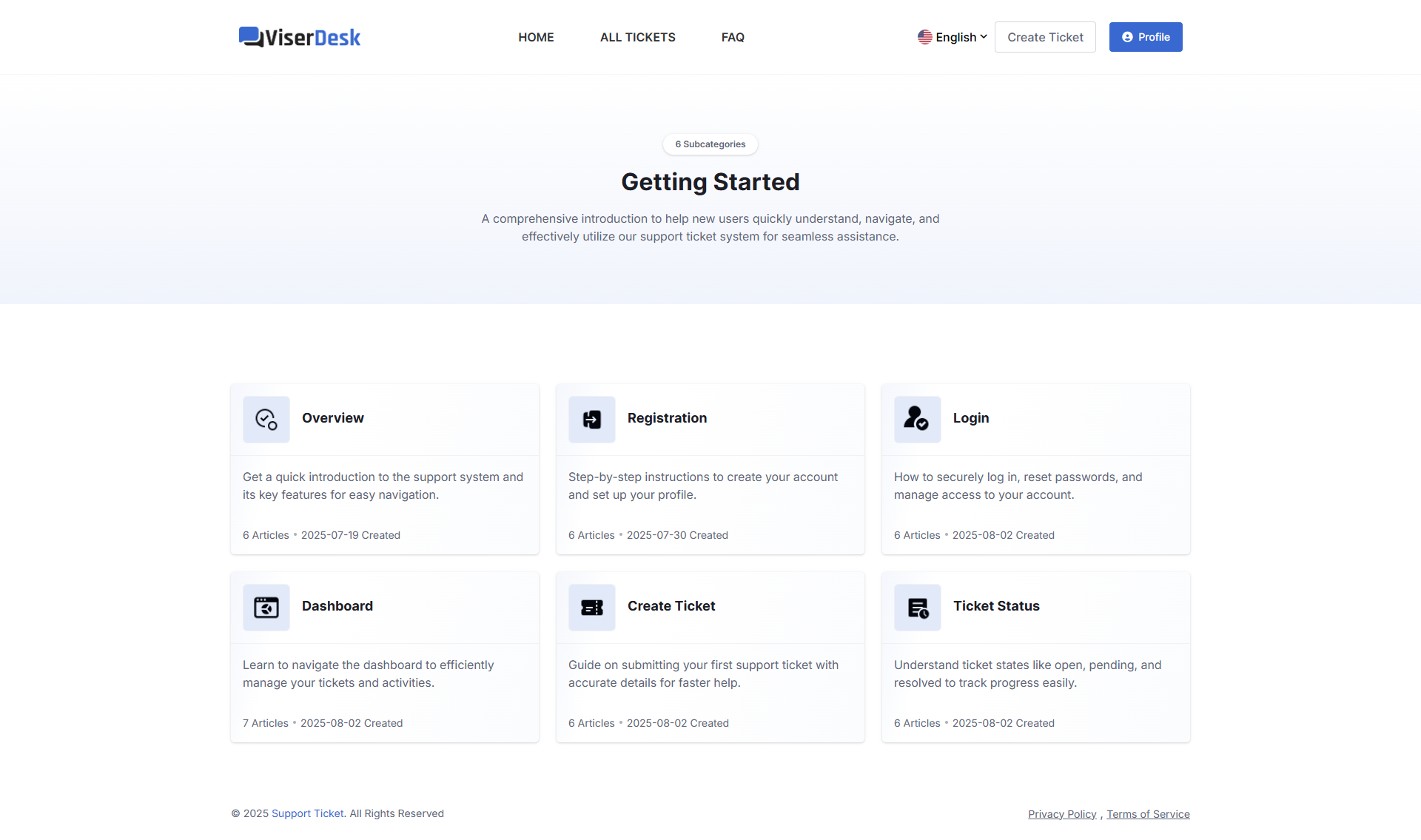
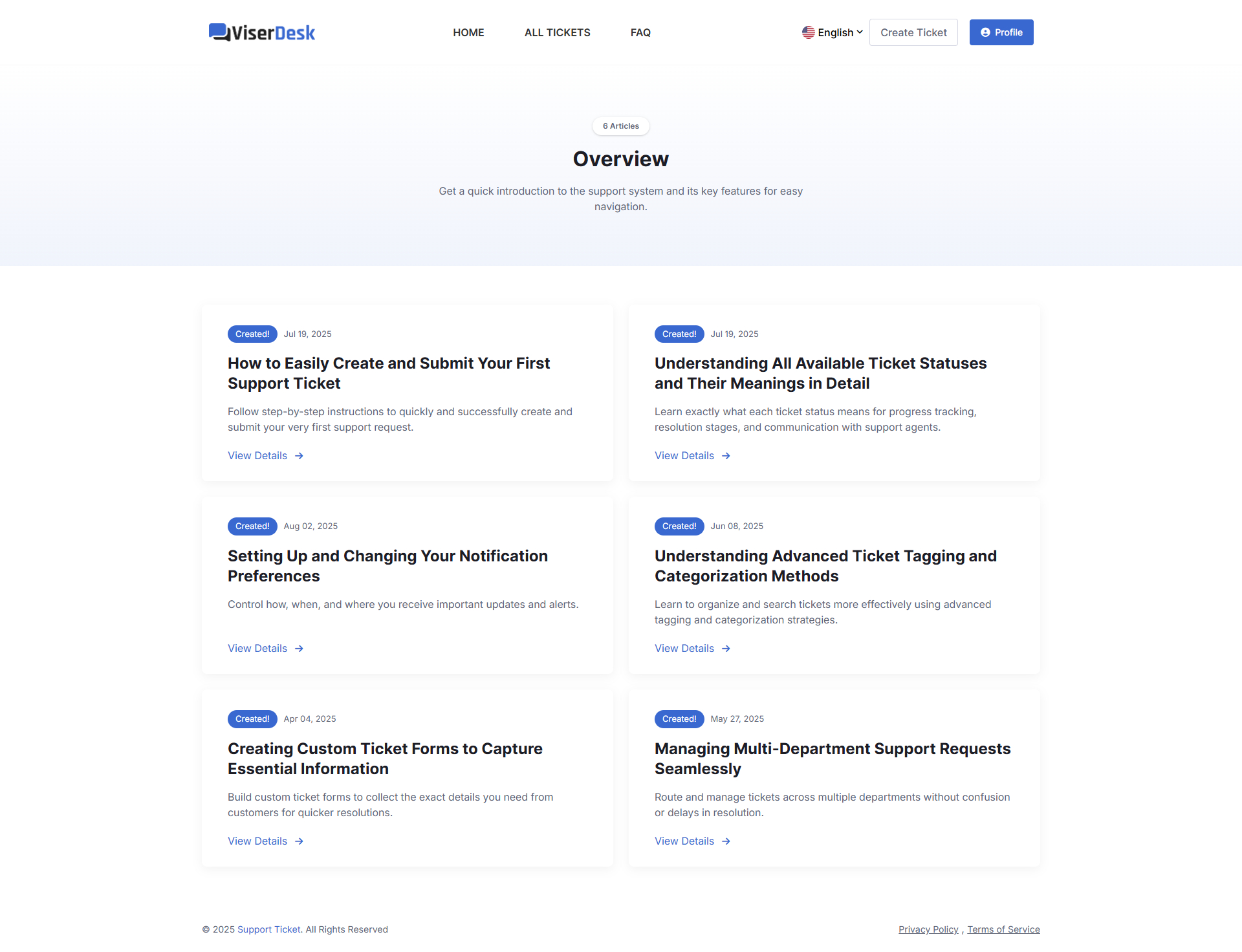
A powerful helpdesk platform is only as good as its usability. ViserDesk excels in this area, offering a clean, modern, and highly intuitive interface for both administrators, agents, and customers. Built with Vue.js on the frontend, the platform delivers a responsive and dynamic user experience that feels snappy and efficient.
The dashboard provides a clear overview of essential metrics like open tickets, pending tickets, and agent activity. Navigation is straightforward, allowing users to quickly access different sections such as ticket management, knowledge base, user profiles, and reports. The ticket submission process for customers is streamlined, reducing friction and ensuring all necessary information is captured. For agents, the ticket view is comprehensive yet uncluttered, making it easy to track conversations, add notes, change status, and assign tasks. This commitment to user-friendly design ensures a smooth workflow, reducing the learning curve and boosting productivity across your support team.
Security and Performance: Built on a Solid Foundation
When dealing with customer data and critical support inquiries, security and performance are paramount. The ViserDesk Support Ticket Management Helpdesk Platform PHP script is built on Laravel, one of the most popular and secure PHP frameworks available today. Laravel provides a robust architecture that includes built-in security features such as CSRF protection, SQL injection prevention, and secure authentication mechanisms.
This strong foundation ensures that your helpdesk data is well-protected against common web vulnerabilities. Furthermore, the use of Vue.js for the frontend contributes to a highly performant application. Vue.js applications are known for their speed and responsiveness, providing a fluid experience for users without heavy page reloads. The script is designed for scalability, meaning it can handle a growing volume of tickets and users without significant performance degradation, making it a reliable choice for businesses of all sizes.
Pricing and Value: A Smart Investment
One of the most appealing aspects of ViserDesk, like many other CodeCanyon PHP scripts, is its pricing model. Unlike subscription-based SaaS helpdesk solutions that charge recurring monthly or annual fees (which can quickly add up), ViserDesk is available as a one-time purchase. This means you buy the script once, install it on your server, and own it outright, giving you complete control and eliminating ongoing costs.
Considering the extensive feature set, the modern technology stack (Laravel + Vue.js), and the self-hosted flexibility, ViserDesk offers exceptional long-term value. It’s a highly cost-effective solution for businesses looking to implement a professional support ticket system without breaking the bank. For startups, SMEs, or even larger enterprises looking for an affordable yet powerful alternative to enterprise-level platforms, ViserDesk presents a compelling and financially sound investment.
Pros and Cons of ViserDesk
| Pros | Cons |
|---|---|
| ✅ One-time purchase, no recurring fees. | ❌ Requires basic server knowledge for setup. |
| ✅ Built with modern Laravel and Vue.js for security & performance. | ❌ Customizations might require developer skills. |
| ✅ Comprehensive ticket management & knowledge base. | ❌ No direct mobile app (though web is responsive). |
| ✅ Intuitive and responsive user interface. | ❌ Community support might be less extensive than large SaaS platforms. |
| ✅ Multi-language support and powerful reporting. | ❌ Feature updates depend on developer releases. |
Frequently Asked Questions (FAQs)
1. What is ViserDesk Support Ticket Management Helpdesk Platform?
ViserDesk is a self-hosted PHP script built with Laravel and Vue.js that provides a complete system for managing customer support tickets, knowledge base articles, and agent operations for businesses.
2. Who is ViserDesk best suited for?
It’s ideal for startups, small to medium-sized businesses, e-commerce stores, service providers, or anyone needing a robust, affordable, and customizable helpdesk solution to manage customer inquiries efficiently.
3. Is ViserDesk easy to install and set up?
While basic server knowledge (PHP, MySQL, web server like Apache/Nginx) is required for installation, the script generally follows standard Laravel deployment procedures. Clear documentation is usually provided to guide you through the process.
4. Does ViserDesk support multiple languages?
Yes, ViserDesk comes with multi-language support, allowing you to easily translate the platform into various languages to cater to a global customer base.
5. Is ViserDesk a one-time purchase or subscription-based?
ViserDesk is a one-time purchase from CodeCanyon, meaning you pay once and own the script. There are no recurring subscription fees, offering excellent long-term value. You can find more details and purchase it here.
6. What technology stack does ViserDesk use?
It is built on the robust Laravel PHP framework for the backend and the modern Vue.js framework for a dynamic and responsive frontend user interface.
7. Can I customize ViserDesk to fit my brand?
Yes, being a self-hosted PHP script, ViserDesk offers significant customization potential. You can modify the codebase (with appropriate development skills) to align with your branding and specific operational requirements.
8. Does it include a knowledge base?
Absolutely! ViserDesk features a powerful knowledge base and FAQ section, allowing you to create self-service resources for your customers to find answers quickly and reduce ticket volume.
Is ViserDesk Worth Buying?
After a thorough review, the answer is a resounding yes. The ViserDesk Support Ticket Management Helpdesk Platform PHP script stands out as one of the best PHP script for Laravel Vue applications in the helpdesk category. It offers a powerful, modern, and cost-effective solution for businesses serious about delivering excellent customer support.
If you’re tired of expensive subscription fees, desire full control over your support system, and value a secure, high-performance platform built with cutting-edge technologies, ViserDesk is an investment worth making. It empowers your team to manage tickets efficiently, provides customers with a seamless support experience, and helps you build a strong knowledge base. For anyone looking to elevate their customer service infrastructure without the recurring costs, ViserDesk is a top-tier choice. Don’t miss out on this opportunity to revolutionize your support operations; check it out today: ViserDesk on CodeCanyon.
“`