
***

Contents
Optimer Review: The Ultimate Image Compression & Cloud Storage PHP Script?
In today’s digital world, website speed is everything. Slow-loading pages lead to high bounce rates, poor user experience, and lower search engine rankings. One of the biggest culprits? Unoptimized, high-resolution images. While services like TinyPNG and Kraken.io offer solutions, they come with recurring monthly fees and limitations. What if you could own the entire platform, offer it as a service, and have complete control? This is where the Optimer Advanced Image Compression Cloud Storage Platform PHP script comes in. This powerful script allows you to launch your own sophisticated image optimization SaaS business. In this detailed Optimer script review, we’ll break down its features, usability, and overall value to see if it’s the right investment for your next project.
Key Features of the Optimer Script

Optimer is more than just a simple compression tool; it’s a comprehensive, business-in-a-box solution. The developers have packed it with features that cater to both end-users and platform administrators. This makes it a standout choice in our ongoing series of CodeCanyon PHP script reviews.
Advanced Image Compression Engine
At its core, Optimer excels at reducing image file sizes without significant quality loss. It supports all the essential formats you’d expect:
- JPEG & PNG: Utilizes industry-standard algorithms for powerful lossy and lossless compression.
- WebP: Offers next-gen WebP conversion for superior compression and quality, which is great for modern web performance.
- GIF: Optimizes animated GIFs, reducing their size to improve load times on pages where they are used.
Users can easily upload images, and the script intelligently processes them, providing a side-by-side comparison of the original versus the compressed version.
SaaS-Ready Platform with Subscriptions
This is arguably Optimer’s most compelling feature. It’s built from the ground up to function as a Software-as-a-Service (SaaS) platform. As the admin, you can create various subscription plans (e.g., Free, Pro, Business) with different limitations on image size, number of compressions, and storage capacity. It integrates seamlessly with major payment gateways like Stripe, PayPal, Razorpay, and Paystack, allowing you to automate billing and manage subscribers effortlessly. If you’re looking to generate recurring revenue, the Optimer script provides the entire framework.
Multi-Cloud Storage Integration
Instead of relying solely on your local server storage, Optimer allows you to connect to various popular cloud storage providers. This enhances scalability and reliability. Supported platforms include:
- Amazon S3
- Wasabi
- DigitalOcean Spaces
- Google Cloud Storage
This flexibility allows you to choose the most cost-effective and performant storage solution for your business needs.
Usability and Interface
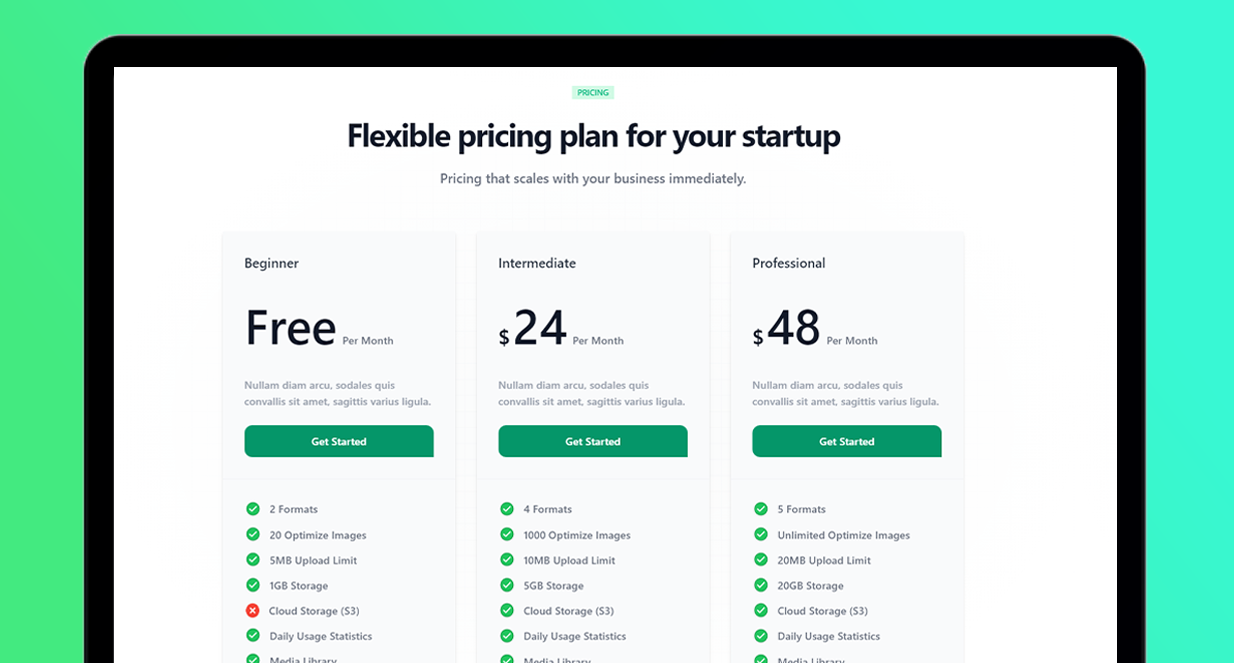
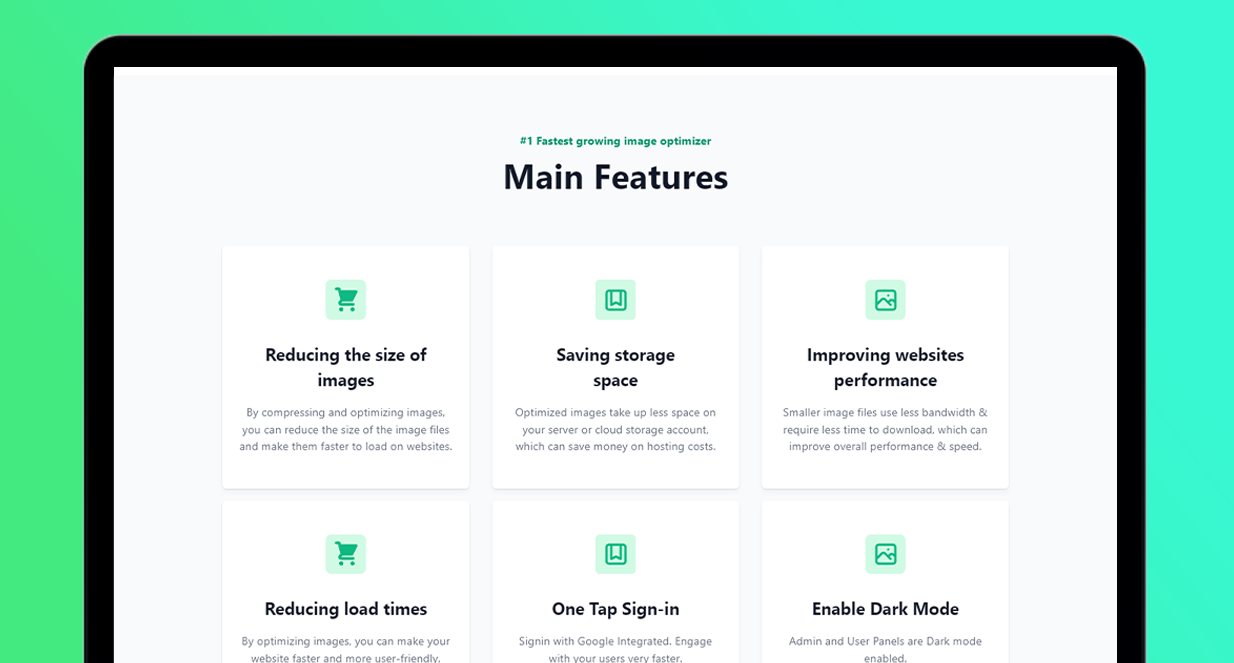
The Optimer script is built on a modern tech stack—Laravel 10 and Vue 3. This translates into a fast, responsive, and intuitive user experience. The front-end dashboard for users is clean and minimalist. The drag-and-drop uploader, clear statistics on usage, and easy access to past compressions make it incredibly user-friendly, even for non-technical individuals.
For the administrator, the backend panel is a powerhouse of control. From here, you can manage users, configure subscription plans, set up cloud storage credentials, customize the front-end text and appearance, and view detailed analytics on platform usage and revenue. The separation of user and admin interfaces is well-executed, making management a breeze. It’s a strong contender for the best PHP script for Laravel Vue developers looking for a solid foundation for a SaaS project.
Security and Performance
Built on Laravel, one of the most secure PHP frameworks, Optimer inherits robust security features right out of the box. It includes protection against common vulnerabilities like CSRF (Cross-Site Request Forgery) and SQL injection. The developer provides regular updates to address any potential security concerns and introduce new features, which is a critical factor when choosing a script from CodeCanyon.
Performance-wise, the image processing is handled efficiently in the background, ensuring the user interface remains snappy and responsive. The use of Vue.js for the front-end means interactions are quick, and the overall platform feels modern and professional. By offloading storage to cloud providers, the script also ensures your primary server isn’t bogged down with file storage tasks.
Pricing and Value
The Optimer script is available on CodeCanyon for a one-time fee. This model presents incredible value when compared to the recurring costs of competing SaaS products. For a single payment, you get a lifetime license to the script, including 6 months of support from the developer, which can be extended for a small additional fee. When you consider the cost of developing a similar platform from scratch—which would run into thousands of dollars—the price tag for Optimer is a bargain. It empowers entrepreneurs and developers to launch a potentially profitable business with a relatively low initial investment.
Pros and Cons
| Pros | Cons |
|---|---|
| One-Time Cost: Excellent value compared to monthly SaaS fees. | Requires Self-Hosting: You need your own server and technical knowledge to set it up. |
| SaaS-Ready: Built-in subscriptions and payment gateways for immediate monetization. | Server Costs: You are responsible for ongoing hosting and cloud storage fees. |
| Modern Tech Stack: Built with Laravel & Vue.js for great performance and security. | Limited Support Window: Standard 6-month support requires extension for a fee. |
| Highly Customizable: Full source code access allows for branding and feature modifications. | |
| Multi-Cloud Support: Flexible and scalable storage options. |
Frequently Asked Questions (FAQs)
1. What are the server requirements for the Optimer script?
You will need a standard web server (like Apache or Nginx) with PHP 8.1 or higher, a MySQL database, and standard PHP extensions like BCMath, Ctype, and JSON. The script’s documentation provides detailed installation instructions.
2. Is it difficult to install?
The script comes with a helpful installation wizard. If you are familiar with deploying Laravel applications (setting up a database, running composer commands), the process is straightforward. The documentation is clear and guides you through each step.
3. Can I rebrand the script with my own logo and colors?
Absolutely. You get full access to the source code, allowing you to easily change the logo, colors, and front-end content to match your brand identity.
4. What payment gateways are supported for the SaaS plans?
Optimer supports Stripe, PayPal, Paystack, and Razorpay out of the box, covering the most popular payment processing needs globally.
5. Is this the best script to start my own image compression business?
For a feature-rich, turnkey solution, it’s one of the best available. It provides the core functionality, billing system, and user management needed to launch quickly. You can check out all its SaaS features and demo on its official CodeCanyon page to see if it fits your business model.
6. How does this compare to just using a service like TinyPNG?
TinyPNG is a service you pay to use. With Optimer, you own the software. This allows you to use it for unlimited personal projects or, more importantly, sell the service to others and generate your own revenue stream.
7. What technology is the Optimer script built on?
It is built using a modern and robust stack: PHP 8.1, the Laravel 10 framework for the backend, and Vue.js 3 for a dynamic and responsive front-end experience.
Is It Worth Buying? Our Final Verdict
The Optimer Advanced Image Compression Cloud Storage Platform PHP script is an outstanding product for a specific audience. If you are an entrepreneur, developer, or digital agency looking to launch your own SaaS business in the image optimization niche, this script is an absolute must-see. The one-time cost, combined with its powerful SaaS features, modern technology stack, and extensive feature set, offers unparalleled value.
While it requires some technical know-how to set up and manage, the potential return on investment is enormous. It stands out as one of the best PHP scripts for Laravel Vue developers seeking a project with real-world business applications. If you’re ready to take control and build your own platform, Optimer provides the perfect foundation.
Ready to launch your own image optimization service? Check out the Optimer Script on CodeCanyon today!
“`